
Save every Brightwheel photo of your kid — before you lose them.
A free Chrome extension that downloads every photo, teacher note, and message thread from your Brightwheel account into a folder (or a single ZIP) on your own computer. Offline viewer included. No account, no server.
Runs entirely in your browser. No account, no server, no telemetry.
Why now
What happens to two years of photos when your child ages out?
Brightwheel doesn’t offer a data export, and there’s no promise that photos, notes, or messages stay accessible after your child leaves — or after your school switches platforms. Take a copy now, while you still can. It sits on your own drive from then on.
A permanent, portable copy of your child’s Brightwheel history.
Every photo, at the best quality Brightwheel shows you.
Full-resolution cover variant for every photo your child was tagged in — with the event date baked into EXIF so Apple Photos and Google Photos drop them in the right month, the right year, the right place in the timeline.
Teacher notes and message threads, kept.
Every daily update and every parent-to-school conversation exports as both a rendered HTML timeline you can hand a grandparent, and clean JSON for anyone who wants to do more with it later.
An offline viewer that will still work in 20 years.
The archive bundles a standalone viewer/index.html. No server, no account, no dependencies to update — double-click it and browse everything offline. Works long after the app on your phone is gone.
Private by construction.
Runs in your own browser tab, on your own machine. Reads the Brightwheel session you're already logged into, writes your files to a folder you pick (or a single ZIP). Nothing leaves your computer.
Three steps. About twenty minutes for a two-year account.
- 1
Install the extension
Add Takeout for Brightwheel to Chrome. It sits idle until you open it.
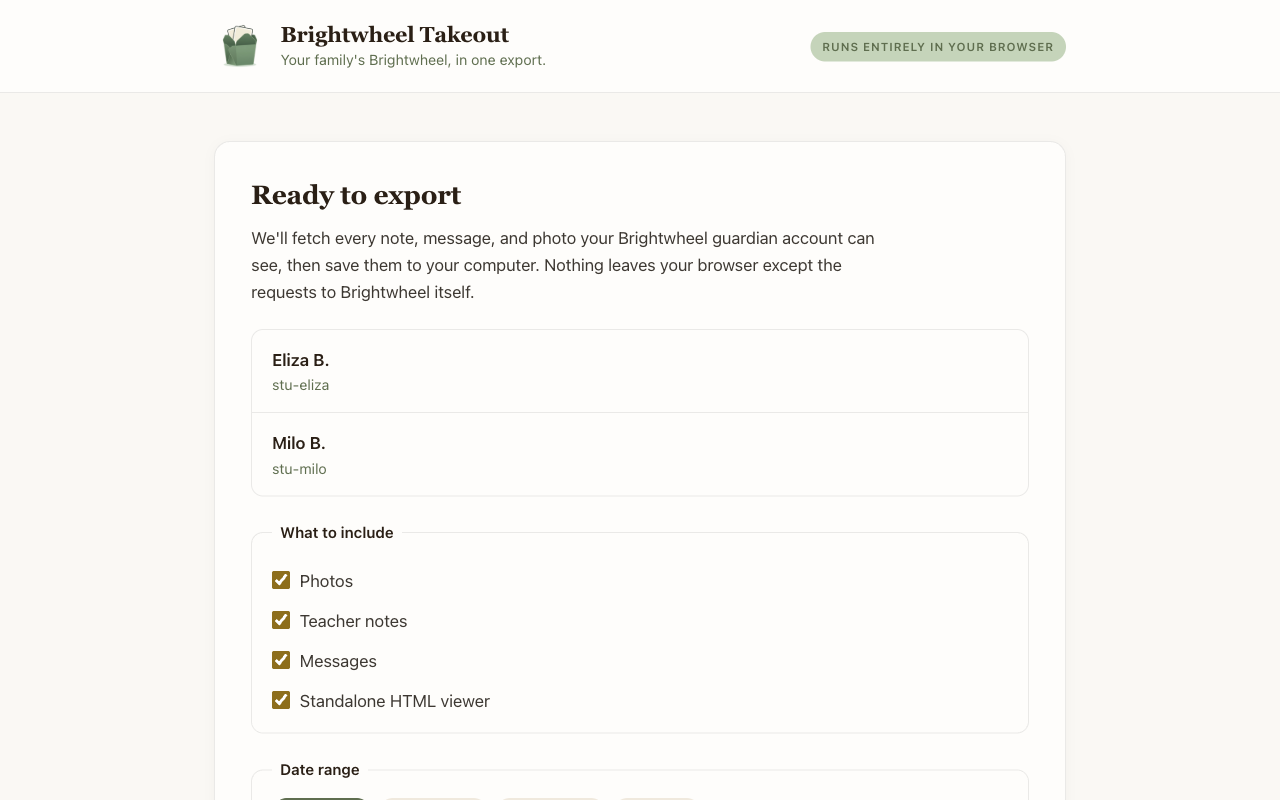
- 2
Log into Brightwheel
Open Brightwheel in the same browser and log in like you always do. The extension uses your existing session — nothing new to authorize.
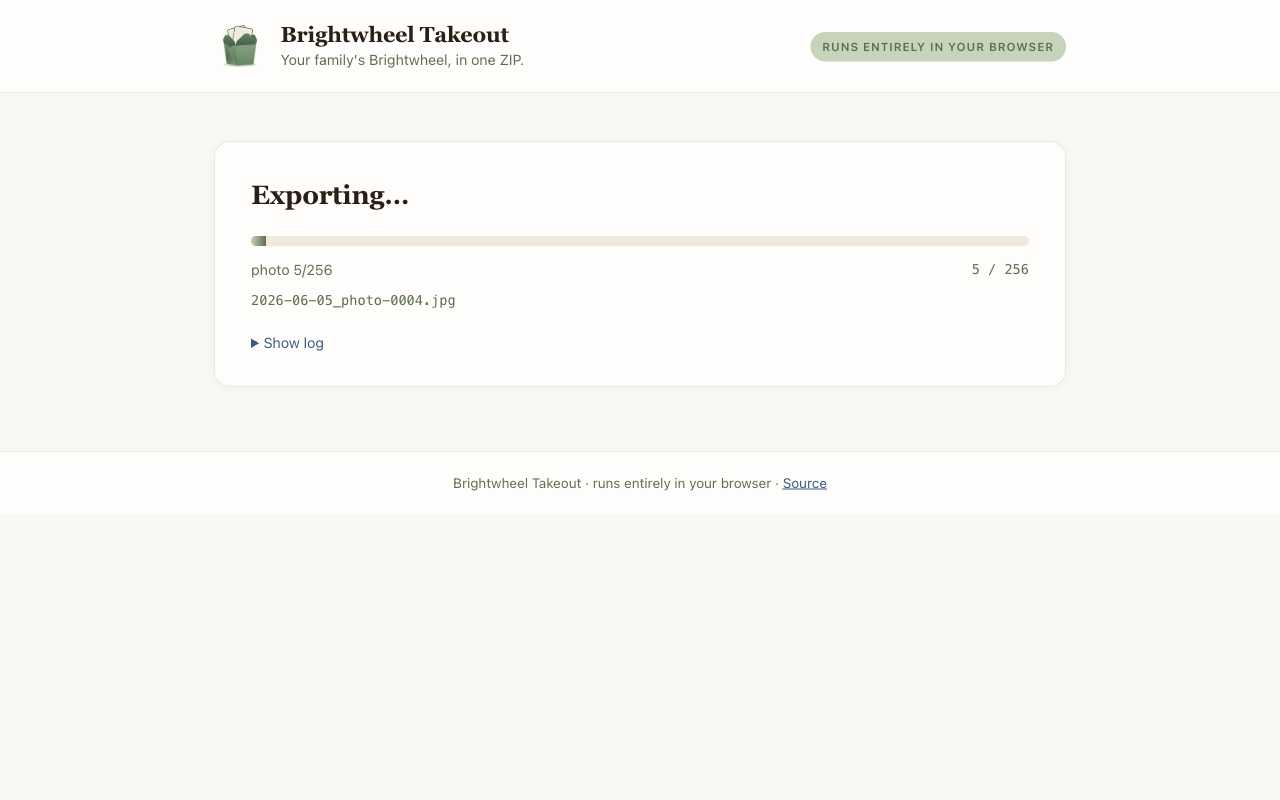
- 3
Pick a folder, walk away
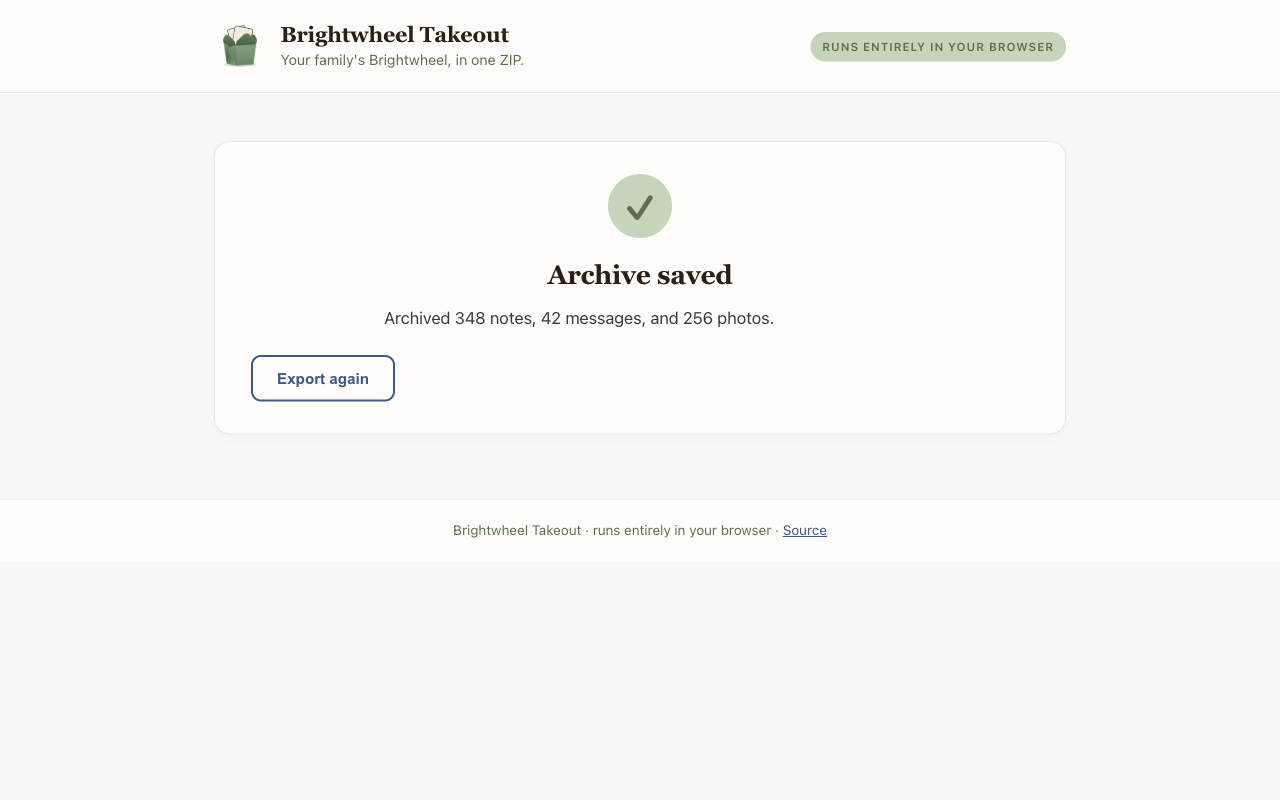
Click Start. The archive streams to disk as photos, notes, and messages come in. Come back to a finished folder of files.
A Chrome extension that touches your kid’s photos. Here’s why this one is safe.
The whole extension runs on your own computer, inside your own browser tab. It reads the Brightwheel session you’re already logged into, downloads your files, and writes them to a folder you pick — and that is the entire round trip. Your data never touches a server we control, because we don’t operate one.
- No server.The GitHub repository is the entire product. There’s nowhere for us to store your data even if we wanted to.
- No telemetry.No analytics, no crash reports, no “usage statistics.” We do not know you exist.
- No new login.You never enter a Brightwheel password anywhere but Brightwheel. The extension only rides your existing session.
- Read-only.The extension can’t modify or delete anything in Brightwheel. It fetches, then writes to your disk.
Answers to what guardians ask before installing.
How do I export or download all my photos from Brightwheel?
Brightwheel does not have a built-in bulk photo export for guardians — the app only lets you save one photo at a time. Takeout for Brightwheel adds a bulk export: install the Chrome extension, log into Brightwheel like you normally would, click the toolbar icon, and pick a folder. Every photo your child was tagged in downloads at the highest resolution the guardian app exposes, with the original event date stamped into the file’s EXIF so Apple Photos and Google Photos sort them into the right timeframe.
Can I back up teacher notes and parent-school messages, too?
Yes. In the same run, the extension archives every teacher note (comments, milestones, tagged photos) and every parent ↔ school message thread, saved as both machine-readable JSON and as a rendered HTML timeline you can hand to a grandparent. Daily reports — food, naps, health checks — are available as an opt-in because their volume can be enormous over a multi-year enrollment.
Is Takeout for Brightwheel affiliated with Brightwheel, Inc.?
No. Takeout for Brightwheel is an independent, guardian-built data-portability tool. It is not made by, endorsed by, or affiliated with Brightwheel, Inc. It exists because guardians asked for a Google-Takeout-style export and Brightwheel does not currently offer one.
Is it safe? Where does my data go?
Nothing leaves your browser except the requests to Brightwheel’s own servers, using the session you are already logged into. There is no third-party server involved — the developer has no backend, no database, and no way to see what you exported or that you ran the extension at all. Your archive is written straight to a folder you pick on your own disk. The source is public on GitHub if you or a technical friend want to audit it before installing.
What does the archive look like when it’s done?
A single folder (or ZIP, your choice) containing your photos organized by date, JSON and CSV/Excel exports of notes and messages, a manifest with your school and student metadata, and a standalone viewer/index.html. Double-click the viewer file to browse the whole archive as a searchable timeline and photo gallery — no server, no internet, works twenty years from now.
How long does a Brightwheel backup take?
For a typical two-year account with a few thousand photos, about 20 minutes and 1–2 GB of disk. Larger or older accounts take proportionally longer. The extension paces its requests so a whole school exporting on the same day will not overload Brightwheel’s servers.
Does this work on iPhone or Android?
Not yet. Version 1 is a desktop Chrome extension (Mac or PC). Chrome-based desktop browsers like Edge and Brave should also work. Mobile is on the roadmap but not shipping today — the file-system APIs the archive relies on aren’t available in mobile browsers.
Is Takeout for Brightwheel free?
Yes. Free and open source under the MIT license. There is no paid tier, no upsell, and no account.
How does this compare to other Brightwheel export extensions?
A handful of other Chrome extensions exist for pulling data out of Brightwheel, and the honest answer is that they fall into two camps. The first camp is bulk-photo downloaders — they grab photos and videos and nothing else, and some of them have not been updated in years. The second camp is bulk exporters with a per-photo cap on the free tier (25 photos in one case) that unlocks with a paid upgrade. Takeout for Brightwheel is different in three ways. First, scope: it captures photos, teacher notes, message threads, and optional daily reports in the same run — not just the media. Second, price: it is free with no cap, no paid tier, and no account. Third, it ships an offline HTML viewer bundled inside the archive so you can browse everything as a searchable timeline twenty years from now, and the source is public on GitHub under the MIT license so you (or a technical friend) can audit it before installing.
- Open sourceMIT-licensed, on GitHub
- No serverRuns only in your browser
- $0 foreverNo account, no paid tier
- Made by a parentFor families first
Take the export while you still can.
Install the extension, log into Brightwheel, and walk away with a folder of every photo, note, and message your child’s account has ever held. Yours to keep, forever.